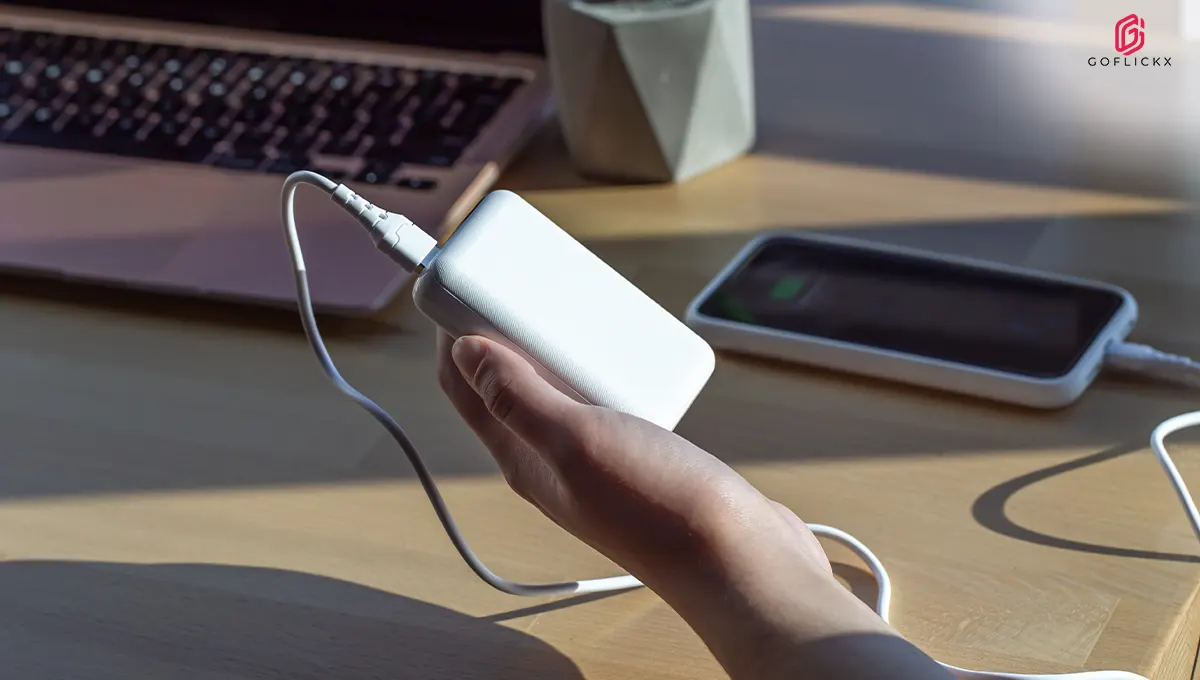
How to Pack One Charger for Your Phone, Laptop and Camera: Travel Chargers and Power Bank Rules
Packing for a trip often means carrying more charging accessories than actual gadgets. Your phone needs one adapter, your laptop requires another, and your camera may come with a separate charging cable. Before you know it, your travel bag is filled with tangled wires, bulky plugs and multiple power banks. The good news is that modern USB-C technology and multiport chargers make it easier to charge several devices with fewer accessories. In 2026, a single compatible travel charger can handle your phone, laptop and camera, provided it offers the right wattage and charging support. However, power bank restrictions, airline battery policies and safe packing practices still need attention before you head to the airport.
Quick Overview
- A compatible multiport USB-C charger can power your phone, laptop and camera with fewer adapters.
- Check your laptop's wattage requirements before choosing a shared travel charger.
- GaN technology makes high-power travel chargers smaller and easier to carry.
- USB-C Power Delivery helps compatible devices receive the appropriate charging power.
- Power banks generally need to travel in cabin baggage, not checked luggage.
- The 100Wh battery limit is an important reference point, but airline-specific rules may be stricter.
Why Carrying One Travel Charger Makes More Sense in 2026
Travelling with multiple electronic devices is common, but carrying a separate charger for each one can quickly become inconvenient. Different adapters take up valuable luggage space, while several cables can get tangled inside your backpack.
A single travel charger for laptop and phone can simplify your packing routine. Modern USB-C chargers support different power outputs, allowing compatible devices to share one adapter.
For example, you can use a multiport charger to charge your laptop through one USB-C port while powering your smartphone through another. If your camera supports USB-C charging, it may also work with the same adapter.
However, compatibility matters. Not every laptop, phone or camera supports USB-C charging, and some devices require proprietary adapters or dedicated charging docks.
Before packing, check these three things:
- Power requirements: Your laptop may require 45W, 65W or more, while your smartphone may need considerably less.
- Charging compatibility: Confirm that your devices support USB-C Power Delivery or the charging standard offered by your adapter.
- Port availability: Choose a charger with enough ports to accommodate your devices without compromising their required power output.
The goal is to carry fewer accessories without sacrificing charging performance.
How to Choose a Multi-Port USB-C Travel Charger
A multiport adapter is one of the most practical accessories for people travelling with several electronic devices.
A multi port usb c travel charger allows you to connect multiple gadgets to one power source. Instead of carrying three separate wall adapters, you can use one charger with multiple USB-C ports.
What Should You Check Before Buying?
1. Total Wattage
The charger's total wattage determines how much power it can distribute across connected devices. A 65W charger may provide enough power for a compatible laptop and phone, but the actual output depends on how the manufacturer distributes power between ports.
2. Individual Port Output
Check the maximum output of each port. Some chargers offer 65W through one USB-C port but reduce that output when multiple devices are connected.
3. USB Power Delivery Support
USB-PD is a widely used charging standard that allows compatible devices and chargers to negotiate suitable power levels. It is particularly useful for charging laptops, tablets and smartphones.
4. Plug Compatibility
International travel may involve different electrical socket types. Check whether your charger supports the voltage range at your destination and carry a suitable plug adapter when required.
Travel Charger Wattage Comparison
|
Charger wattage |
Suitable devices |
Travel usefulness |
|
30W–45W |
Smartphones, tablets and some lightweight laptops |
Good for basic travel needs |
|
65W |
Smartphones, tablets and many laptops |
Practical for everyday travel |
|
100W |
Compatible laptops and multiple smaller devices |
Useful for heavier charging requirements |
|
140W |
High-performance compatible laptops and other devices |
Better suited to demanding setups |
Why a GaN Charger Is a Smart Travel Companion
Traditional chargers can be bulky, particularly when they need to deliver enough power for laptops and multiple devices. GaN technology offers a more compact alternative.
A GaN charger for travel uses Gallium Nitride semiconductor technology instead of conventional silicon-based power components. This allows manufacturers to create smaller, efficient chargers that can support relatively high power outputs.
Why GaN Chargers Are Ideal for Travel
- Smaller size: High-power charging components can fit into compact adapters.
- Less luggage clutter: One multiport adapter can replace several individual chargers.
- Multiple device support: Many models can charge phones, tablets and laptops together.
- Convenient portability: Compact designs are easier to carry in backpacks and laptop bags.
- Efficient power conversion: GaN technology can reduce power losses during conversion.
UGREEN offer multiport GaN chargers in different wattage categories. Their product range includes options for travellers who want to reduce the number of adapters they carry.
Still, do not choose a charger based on its GaN label alone. Check its individual port output, total wattage, safety certifications and compatibility with your devices.
Power Bank Carry-On Rules 100Wh Every Traveller Should Know
A power bank is useful when you are travelling between airports, exploring a new city or spending long hours away from a charging socket. However, lithium-ion batteries come with specific airline safety restrictions.
Understanding power bank carry on rules 100wh is especially important because power banks are treated as spare lithium batteries rather than ordinary electronic accessories.
According to the International Air Transport Association (IATA) 2026 passenger guidance:
- Power banks must be carried in cabin baggage.
- Passengers are limited to a maximum of two power banks, each not exceeding 100Wh under the guidance.
- Power banks must not be recharged using an aircraft power supply.
- They should not be stored in overhead lockers.
- Airlines may introduce stricter restrictions on their use and carriage.
IATA+1
For travellers flying within or from India, these rules deserve extra attention. India's DGCA issued an advisory in November 2025 prohibiting the use of power banks to charge portable electronic devices during flights. Air India also lists a maximum of two power banks per passenger, each up to 100Wh, carried in hand baggage only, with onboard use and charging prohibited.
Digital Sansad+1
How to Check Whether Your Power Bank Is Below 100Wh
Power banks generally display their capacity in milliamp-hours (mAh), but airlines often use watt-hours (Wh) to determine battery limits.
However, always check the actual Wh rating printed on your power bank. If the rating is unclear, contact the manufacturer or airline before travelling.
What About Power Banks Above 100Wh?
Power banks between 100Wh and 160Wh generally require airline approval under standard lithium-battery guidance, but the 2026 IATA passenger guidance specifies a maximum of two power banks not exceeding 100Wh. Some airlines apply even stricter conditions.
Do not assume that a power bank between 100Wh and 160Wh will be accepted. Confirm the applicable rules with your airline before packing it. Batteries above 160Wh are generally not permitted in passenger baggage.
How to Pack Electronics Chargers for Travel Without Creating a Mess
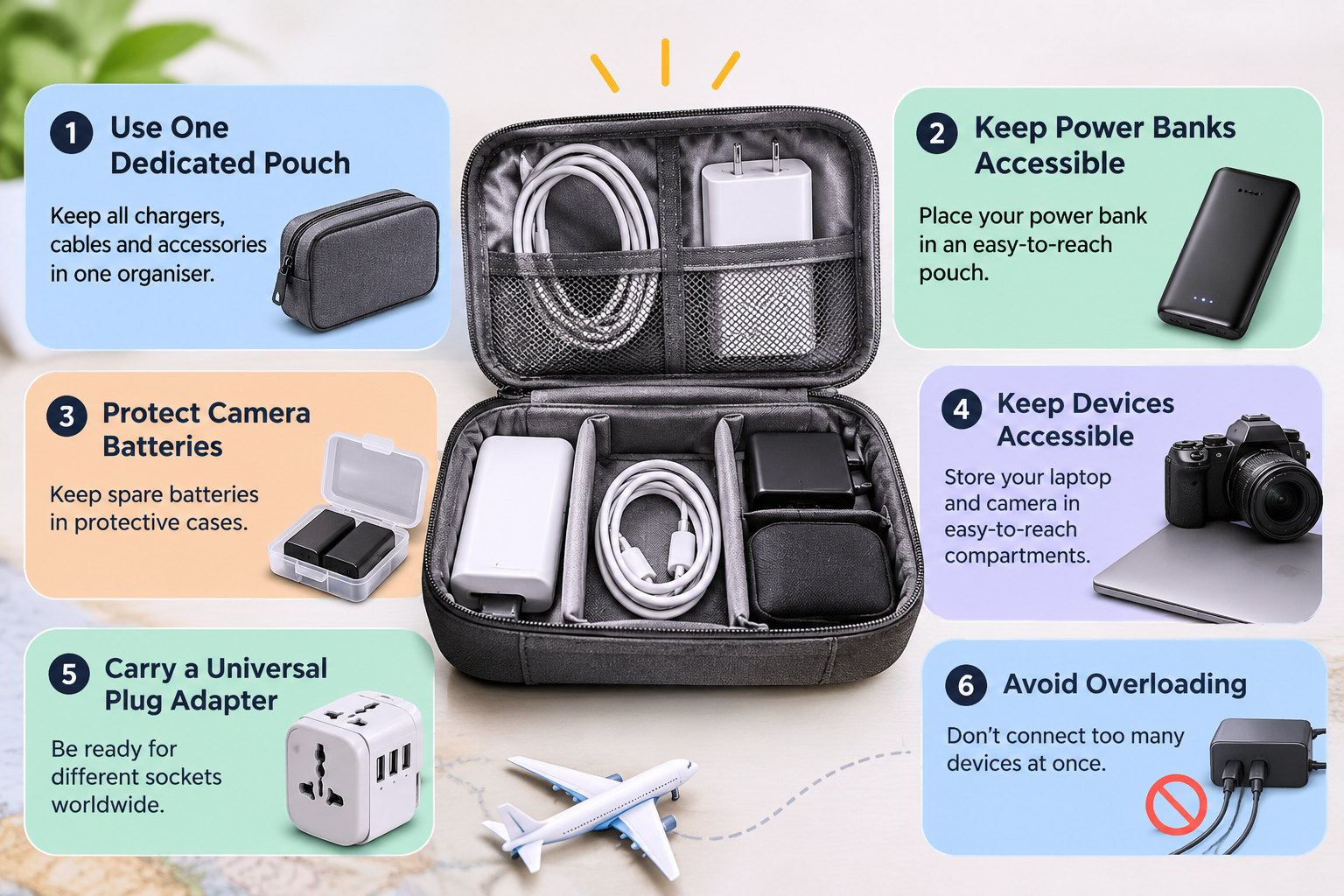
Knowing how to pack electronics chargers for travel can save time during airport security checks and prevent damage to expensive accessories.
A little organisation can make your travel bag easier to manage, especially when you are carrying a laptop, smartphone, camera and power bank.
Here are some practical packing tips:
1. Use One Dedicated Charger Pouch
Keep your wall adapter, USB-C cables, camera charging cable and small accessories in one organiser. This prevents loose wires from spreading throughout your luggage.
2. Separate Power Banks From Other Accessories
Place your power bank in an easily accessible protective pouch inside your cabin bag. Keep it away from coins, keys and other metal objects that could cause a short circuit.
3. Protect Camera Batteries
Carry spare camera batteries in their original packaging or individual protective cases. Cover exposed terminals to prevent accidental contact with metal objects. Spare lithium batteries must remain in cabin baggage.
Federal Aviation Administration+1
4. Keep Your Laptop and Camera Accessible
Airport security procedures may require you to remove electronic devices from your bag for screening. Keeping your laptop and camera in easily accessible compartments makes this process simpler.
5. Carry a Universal Travel Plug Adapter
A USB-C charger may support international voltage ranges but still have a plug that does not fit the socket at your destination.
Check the charger's input specifications and carry a suitable travel plug adapter. Remember that a plug adapter changes the socket connection; it does not necessarily convert electrical voltage.
6. Avoid Overloading Your Charger
Connecting several devices simultaneously may reduce the power available to each port. Check the manufacturer's power-sharing table and prioritise your laptop if it needs higher wattage.
A Simple Travel Charging Setup for Three Devices
You do not need a separate wall adapter for every gadget. The following setup can help you organise your essentials.
|
Travel device |
What to pack |
Important consideration |
|
Smartphone |
USB-C charging cable |
Check fast-charging compatibility |
|
Laptop |
USB-C cable and compatible charger |
Match the laptop's required wattage |
|
Camera |
USB-C cable or dedicated battery charger |
Confirm whether USB-C charging is supported |
|
All three devices |
Multiport USB-C adapter |
Check individual port power distribution |
|
Backup power |
Power bank |
Follow airline battery restrictions |
For instance, a compatible 100W multiport charger may support a laptop and smartphone simultaneously, while a camera can be charged later using the same adapter. If all three devices need charging together, choose a charger with enough ports and suitable power allocation.
UGREEN is worth comparing when researching compact travel charging accessories. Look at the specific model's wattage, port configuration and supported charging standards before choosing one.
Common Travel Charging Mistakes to Avoid
Even a good charging setup can become inconvenient when accessories are packed incorrectly.
Watch out for these common mistakes:
- Carrying an underpowered adapter: A charger designed only for smartphones may not provide enough power for your laptop.
- Ignoring cable ratings: A USB-C connector does not guarantee that the cable supports high-wattage charging.
- Packing power banks in checked luggage: Spare lithium batteries and power banks generally belong in cabin baggage.
- Forgetting plug compatibility: Your charger may need a separate plug adapter at international destinations.
- Using damaged cables: Frayed insulation, loose connectors and exposed wires can create safety risks.
- Ignoring airline updates: Battery rules can change, so check your airline's latest guidance before departure.
A little preparation can prevent charging problems and unnecessary delays during your journey.
The Bottom Line
Packing a phone, laptop and camera does not have to mean carrying three different chargers. A compatible multiport USB-C adapter, a properly rated cable and a compact power bank can simplify your entire travel charging setup. A travel charger for laptop and phone with sufficient wattage can handle multiple charging needs while saving valuable luggage space. GaN technology makes these adapters even more convenient for frequent travellers. UGREEN and other established accessory brands offer options worth comparing, but always check product specifications before purchasing. Most importantly, understand airline battery restrictions, keep power banks in your cabin baggage and verify the latest rules before departure. Smart packing makes travelling with electronics easier, safer and more organised.
Frequently Asked Questions
1. Can one charger charge a laptop, phone and camera?
Yes, if all three devices support compatible charging standards and the charger provides sufficient wattage. A multiport USB-C adapter can charge multiple devices simultaneously, provided its individual port outputs meet their requirements.
2. What wattage travel charger is best for a laptop and phone?
A 65W USB-C charger is a practical option for many laptops and smartphones. However, some high-performance laptops require 100W or more. Check your laptop's original adapter specifications before choosing a replacement.
3. Can I carry a 20,000mAh power bank on an international flight?
Usually, yes, if its watt-hour rating is within the airline's permitted limit. For example, a 20,000mAh power bank rated at 3.7V equals 74Wh. Under IATA's 2026 passenger guidance, power banks up to 100Wh are permitted in cabin baggage, subject to airline restrictions.
4. Can I put my phone charger and power bank in checked luggage?
A regular wall charger and charging cables can generally go in checked luggage. However, power banks and spare lithium batteries must be carried in cabin baggage. Always check your airline's specific baggage policy before travelling.
5. Are GaN chargers better for international travel?
GaN chargers are convenient because they can deliver high power in relatively compact designs. They are useful for charging compatible laptops, smartphones and tablets. However, check voltage compatibility, plug requirements, port output and safety certifications before travelling internationally.